Use our free Jumbo Loan Calculator to estimate your monthly mortgage payment,
total interest paid, and full loan cost — instantly, with no sign-up required.
Ideal for home loans exceeding the conforming loan limit.
Jumbo Loan Calculator
$USD
$USD
%
$USD
$USD
Fixed
Stable rate
5/1 ARM
Adjustable rate
7/1 ARM
Adjustable rate
Your Jumbo Loan Results
Monthly Payment (P&I + Tax + Insurance)
—
per month
Principal & Interest
—
per month
Loan Amount
—
financed
Total Interest Paid
—
over loan term
Total Cost
—
principal + interest
Down Payment
—
Down Payment %
—
Loan-to-Value (LTV)
—
Monthly Property Tax
—
Monthly Insurance
—
Number of Payments
—
Cost Breakdown
Total
—
Principal
—
Total Interest
—
Down Payment
—
Principal & Interest
—
Property Tax
—
Insurance
—
Results are estimates only · Consult a licensed mortgage professional before making financial decisions
What is a Jumbo Loan?
A jumbo loan is a type of mortgage that exceeds the conforming loan limits set by the
Federal Housing Finance Agency (FHFA). For most U.S. markets, any loan above $766,550 (2024 limit)
is considered a jumbo loan and cannot be purchased by Fannie Mae or Freddie Mac.
Because jumbo loans carry more risk for lenders, they typically require stricter qualification criteria,
including higher credit scores, larger down payments, and lower debt-to-income ratios.
How to Use This Calculator
Step 1: Enter the home price and your intended down payment amount.
Step 2: Input the interest rate and select your loan term.
Step 3: Optionally add annual property tax and insurance for a full payment picture.
Step 4: Choose your loan type — Fixed, 5/1 ARM, or 7/1 ARM.
Step 5: Click Calculate to see your monthly payment, total cost, and cost breakdown.
Jumbo Loan Requirements
Minimum credit score of 700–720 (often higher for larger loans)
Down payment of at least 10–20% of the purchase price
Debt-to-income (DTI) ratio typically below 43%
Cash reserves covering 6–12 months of payments
Full income and asset documentation required
Fixed vs. ARM Jumbo Loans
A fixed-rate jumbo loan locks your interest rate for the entire loan term, providing
predictable payments. A 5/1 or 7/1 ARM offers a lower initial rate for 5 or 7 years,
after which it adjusts annually based on market conditions — suitable if you plan to sell or refinance before the adjustment period.
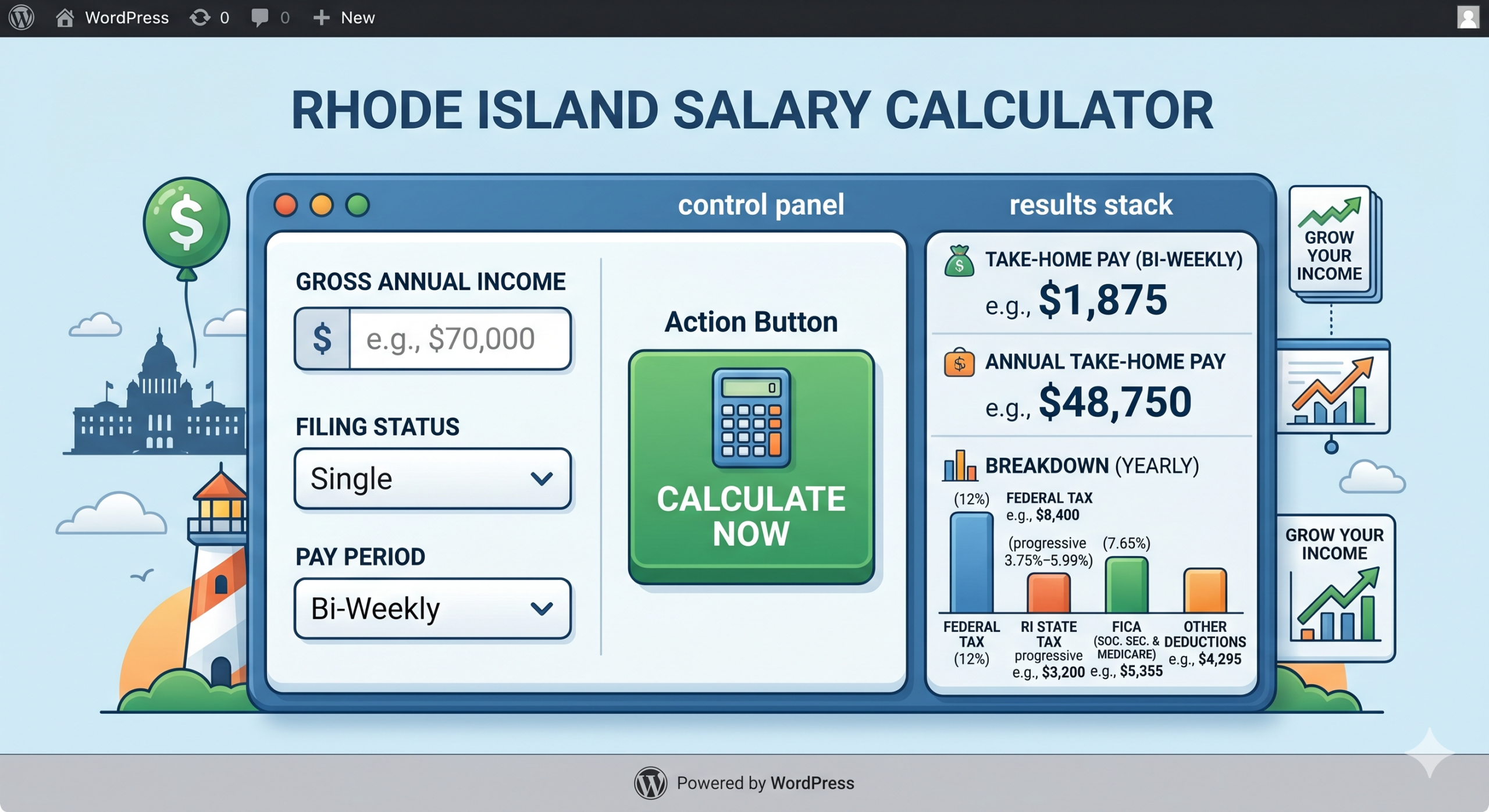
Estimate your net take-home pay after federal, Rhode Island state, Social Security & Medicare taxes — instantly with step-by-step breakdown.
Rhode Island Salary Calculator2024 Tax Year
$75,000gross/yr→$—take-home/yr
$
Pay Frequency
Annual
Monthly
Bi-Weekly
Weekly
$
$
Quick Examples
$40,000
$55,000
$75,000
$100,000
$125,000
$150,000
$200,000
$250,000
Annual Take-Home Pay
$0
$0 / month · $0 / bi-week · $0 / week
Monthly
$0
net / mo
Bi-Weekly
$0
net / paycheck
Weekly
$0
net / week
Hourly Est.
$0
~2,080 hrs/yr
Income Distribution
Take-home
Federal tax
RI state tax
FICA
Effective rate: —Marginal rate: —
Gross Income
$0
Pre-Tax Deductions (401k, HSA…)
−$0
Federal Income Tax
−$0
Rhode Island State Tax
−$0
Social Security (6.2%)
−$0
Medicare (1.45%)
−$0
Additional Withholding
−$0
Annual Take-Home Pay
$0
About This Calculator
How Rhode Island Income Tax Works
Rhode Island uses a progressive state income tax system with 5 tax brackets ranging from 3.75% to 5.99%. This is applied to your Rhode Island taxable income after subtracting the RI standard deduction.
2024 Rhode Island Tax Brackets
Income (Single)
Income (Married)
Rate
$0 – $77,450
$0 – $154,900
3.75%
$77,451 – $176,050
$154,901 – $352,100
4.75%
Over $176,050
Over $352,100
5.99%
How to Use This Calculator
Enter your gross salary and select your pay frequency
Choose your filing status (Single, Married, Head of Household)
Add any pre-tax deductions like 401(k) or HSA contributions
Click Calculate to see your instant take-home estimate
Click Show Full Tax Breakdown for the detailed deduction list
Use the quick example chips to test common salary levels
FICA Taxes (Federal)
Social Security: 6.2% on wages up to $168,600 (2024 wage base). Medicare: 1.45% on all wages, plus an additional 0.9% on wages over $200,000 for single filers.
Frequently Asked Questions
Rhode Island’s top state income tax rate is 5.99%, which is moderate compared to neighboring states. Massachusetts has a flat 5% rate, while Connecticut’s top rate is 6.99%.
For 2024, Rhode Island’s standard deduction is $10,550 for single filers and $21,150 for married filing jointly. This is subtracted from your income before RI state tax is calculated.
Rhode Island does tax Social Security benefits, but there is an exemption for taxpayers who are at full retirement age and whose income falls below a certain threshold.
This calculator provides a reliable estimate based on 2024 federal and Rhode Island tax brackets. Actual withholding may vary depending on your W-4 elections, additional income sources, and tax credits. Consult a tax professional for personalized advice.
Pre-tax deductions like 401(k) contributions, HSA contributions, and health insurance premiums reduce your taxable income, lowering both your federal and state income tax. They do not reduce FICA (Social Security and Medicare) taxes.
Yes, completely free with no registration or download required. Works on any device including mobile.
Planning your daily nutrition doesn’t have to be complicated. Our
Bolay Nutrition Calculator uses the Mifflin-St Jeor formula to estimate
your BMR, TDEE, and optimal macronutrient targets — instantly, for free.
Bolay Nutrition Calculator
yrs
kg
cm
1
Sedentary
2
Light 1–3×/wk
3
Moderate 3–5×
4
High intensity
Your Nutrition Results
Daily Calories (TDEE)
—
kcal per day
BMR (at rest)
—
kcal / day
Protein
—
grams / day
Fat
—
grams / day
Carbohydrates
—
grams / day
Daily Calories
—
Protein
—
Fat
—
Carbohydrates
—
Uses Mifflin-St Jeor formula · Results are estimates only · Consult a nutritionist for medical advice
What is the Bolay Nutrition Calculator?
The Bolay Nutrition Calculator is a simple online tool designed to help you understand your daily
nutritional needs. It calculates:
Your Basal Metabolic Rate (BMR) — calories burned at complete rest
Your Total Daily Energy Expenditure (TDEE) — adjusted for activity level
Recommended protein, fat, and carbohydrate intake in grams per day
How to Use This Calculator
Step 1: Enter your age, gender, weight (kg), and height (cm).
Step 2: Select your activity level from the four options.
Step 3: Click Calculate to instantly view your results.
Step 4: Review your TDEE, BMR, and macro targets in the results panel.
Understanding Your Results
BMR is the number of calories your body needs to maintain basic functions while at rest.
TDEE multiplies your BMR by an activity factor, giving a realistic daily calorie target.
Macros are derived from your TDEE using evidence-based ratios for a balanced diet.
Instantly factor any quadratic ax² + bx + c — get the factored form, roots, discriminant, and full step-by-step solution.
Factor Polynomials Calculator
Free
ax² + bx + c
x²
+
x
+
Quick Examples
About This Calculator
What Is Polynomial Factoring?
Factoring a polynomial means rewriting it as a product of simpler expressions. For quadratics of the form ax² + bx + c, we express it as a(x − r₁)(x − r₂) where r₁ and r₂ are the roots of the equation.
How to Use This Calculator
Enter values for a, b, and c (a must not be zero)
Watch the equation preview update as you type
Click Calculate to get results instantly
Click Show Step-by-Step Solution to see full working
Use the quick example buttons to auto-fill common polynomials
Click Reset to clear all fields
Understanding the Discriminant (D = b² − 4ac)
D > 0 — Two distinct real roots; factors into two different linear terms
D = 0 — One repeated real root; polynomial is a perfect square
D < 0 — Two complex (imaginary) roots; cannot be factored over real numbers
The Quadratic Formula
Roots are found using: x = (−b ± √(b² − 4ac)) / 2a. The ± gives two roots: one with addition and one with subtraction.
Example Walkthrough
For 2x² + 5x − 3: a = 2, b = 5, c = −3.
D = 5² − 4(2)(−3) = 25 + 24 = 49. Since D > 0, two real roots exist.
x₁ = (−5 + 7) / 4 = 0.5 | x₂ = (−5 − 7) / 4 = −3
Factored form: (2x − 1)(x + 3)
Frequently Asked Questions
It factors quadratic polynomials of the form ax² + bx + c. The coefficient a must not be zero.
Yes, you can enter any decimal value. For fractions, convert to decimals first (e.g., ½ = 0.5).
The calculator will show complex (imaginary) roots in the format a ± bi and note that real linear factoring is not possible.
Results are precise to four decimal places for roots. Integer and simple fractional results are shown in exact form.
This tool is designed specifically for quadratic polynomials (degree 2). For higher degrees, use a computer algebra system.
The calculator will show an error, since a = 0 makes it a linear equation, not a quadratic polynomial.
Yes, completely free with no registration or download required. Works on any device including mobile.
Calculator Overview
We have built a Factor Polynomials Calculator that factors quadratic polynomials of the form ax² + bx + c. This calculator is completely free, works in any browser, and provides a step-by-step solution.
Live equation preview – updates as you type
Step-by-step solution – shows all working
Nature badge – indicates real / repeated / complex roots
Copy button – for the factored form
8 quick example chips – one‑click testing
Accordion FAQ section – answers common questions
Enter key support – press Enter to calculate
Detailed Features
1. Live Equation Preview
As soon as the user enters values for a, b, and c, the equation updates live inside a blue box. Example: Enter a=2, b=5, c=-3 → displays 2x² + 5x − 3. This greatly improves the user experience.
2. Coefficient Inputs (a, b, c)
Three input fields:
Coefficient a (x² term)
Coefficient b (x term)
Coefficient c (constant term)
Users can enter any decimal or negative number.
3. Quick Example Chips
Below the calculator, 8 ready‑made examples are provided. One click auto‑fills the inputs and runs the calculation:
x² + 5x + 6
x² − 9 (difference of squares)
2x² + 5x − 3
x² + 4x + 4 (perfect square)
x² − 5x + 6
x² + 2x + 5 (complex roots)
3x² − 7x + 2
x² − x − 12
4. Calculate & Reset Buttons
Calculate – shows a loading animation, then displays the result.
Reset – clears all fields.
Enter key – also triggers the calculation.
5. Result Section
The result shows four items:
Factored Form – displayed in a large blue card, e.g., (2x − 1)(x + 3)
Roots – the x‑values where the polynomial equals zero
Discriminant (D) – value of b² − 4ac
Equation – confirms the original equation
6. Nature Badge
A coloured badge appears below the result card:
Badge
Condition
Meaning
✅ Two Distinct Real Roots
D > 0
Two different real roots, factoring is possible
🔁 One Repeated Real Root
D = 0
Only one root (perfect square trinomial)
❌ Complex Roots
D < 0
No real roots, factoring over reals is not possible
7. Step‑by‑Step Solution
Below the result there is a toggle button: “Show Step‑by‑Step Solution”. When clicked, all steps open in a numbered list:
Calculate the discriminant: D = b² − 4ac
Apply the quadratic formula: x = (−b ± √D) / 2a
Find both roots: x₁ and x₂
Write the factored form: a(x − r₁)(x − r₂)
8. Copy Button
A Copy button is located at the top‑right of the factored form. One click copies the result to the clipboard. A “Copied!” message appears for 2 seconds.
How the Math Works
Discriminant (D = b² − 4ac)
The discriminant tells us what kind of roots to expect. It is calculated first:
Discriminant
Root Type
Example
D > 0
Two distinct real roots
x² + 5x + 6 → D=1, roots: -2, -3
D = 0
One repeated real root
x² + 4x + 4 → D=0, root: -2
D < 0
Complex roots
x² + 2x + 5 → D=-16
Quadratic Formula
The formula to find the roots is:x=2a−b±b2−4ac
The ± means one addition and one subtraction, giving both x₁ and x₂.
How the Factored Form is Built
Once the roots r₁ and r₂ are known, the factored form is:a(x−r1)(x−r2)
Example:2x² + 5x − 3 has roots 0.5 and -3. Factored form: (2x − 1)(x + 3)
Example Walkthroughs (for your article)
Example 1: x² + 5x + 6
Enter a=1, b=5, c=6
D = 5² − 4(1)(6) = 25 − 24 = 1
D > 0 → two real roots
x₁ = (−5 + 1) / 2 = −2
x₂ = (−5 − 1) / 2 = −3
Factored form: (x + 2)(x + 3)
Example 2: x² − 9 (Difference of Squares)
Enter a=1, b=0, c=−9
D = 0 − 4(1)(−9) = 36
x₁ = 3, x₂ = −3
Factored form: (x + 3)(x − 3)
Example 3: x² + 4x + 4 (Perfect Square)
Enter a=1, b=4, c=4
D = 16 − 16 = 0
D = 0 → only one root: x = −2
Factored form: (x + 2)²
Example 4: x² + 2x + 5 (Complex Roots)
Enter a=1, b=2, c=5
D = 4 − 20 = −16
D < 0 → complex roots: −1 ± 2i
Real factoring is not possible
How to Use the Calculator (Step‑by‑Step)
Open the calculator page in your browser.
Enter the value for coefficient a (cannot be zero).
Enter the value for coefficient b.
Enter the value for coefficient c.
Check the live preview above – if the equation looks correct, proceed.
Click the Calculate button or press the Enter key.
View the Factored Form, Roots, and Discriminant.
Click the toggle button to see the step‑by‑step solution.
Use the Copy button to copy the result.
Click Reset to start a new calculation.
Frequently Asked Questions (FAQ)
1. What polynomials can this calculator factor?
It factors only quadratic polynomials (degree 2), i.e., of the form ax² + bx + c. The coefficient a cannot be zero.
2. Can I enter decimal or negative numbers?
Yes, absolutely. You can enter any decimal value (e.g., 0.5, −3.7) or negative number.
3. What happens if the discriminant is negative?
The calculator will show complex (imaginary) roots, for example −1 + 2i. A pink badge will appear indicating that real factoring is not possible.
4. Can it factor cubic or higher‑degree polynomials?
No, this calculator is designed only for quadratics (degree 2). For higher degrees, please use a computer algebra system.
5. How accurate are the results?
Roots are accurate to 4 decimal places. When roots are integers or simple fractions (e.g., 1/2, −3), they are shown in exact form.
6. Does it work on mobile?
Yes, the calculator is fully responsive and works correctly on mobile, tablet, and desktop.
7. What if I enter a = 0?
The calculator will show an error because a = 0 turns the equation into a linear one, not a quadratic.
8. Is it free?
Yes, completely free. No registration, download, or payment is required.
California Workers’ Compensation · PDRS · AMA Guides 5th Ed. · Post-SB 899
⚖️ Workers’ Compensation
Workers Comp Disability Rating Calculator
Calculate your permanent disability rating based on impairment, occupation, age, and return-to-work status under California PDRS.
⚠️ Disclaimer: This calculator is intended for informational and educational purposes only. It does not constitute an official workers’ compensation determination. All final ratings require a Qualified Medical Evaluator (QME) or Agreed Medical Evaluator (AME) and are subject to review by the Workers’ Compensation Appeals Board (WCAB). Consult a licensed workers’ compensation attorney for your specific claim.
Workers Comp Disability Rating Calculator
Enter your impairment and work details below to calculate your PD rating
1 Body Part / Region
2 Whole Person Impairment (WPI %)
%
From AMA Guides 5th Edition or QME/AME report (0 – 100%)
Combined using CV formula: A + B × (1 − A/100)
3 Injury & Work Details
Gross weekly wages at time of injury
Used for PDRS age adjustment
4 Occupation Group (FEC Rank)
FEC (Future Earning Capacity) modifier based on job physical demand
5 Return to Work (RTW) Status
6 Additional Adjustments
Pre-existing / non-work condition %
Combined PD Rating
—
Based on California PDRS
▸ Step-by-Step Calculation Breakdown
Note: Weekly PD benefit rates follow California LC §4659. Minimum $160/wk · Maximum $290/wk (post-2013 injuries). Life pension applies when PD ≥ 70%. These figures are estimates — actual benefits depend on your specific claim facts and WCAB determination.
📋 FEC Occupational Group & Age Adjustment Reference
FEC Group
Occupational Category
Modifier
Example Jobs
Group 1
Clerical / Sedentary
× 0.9
Data entry, receptionist, bookkeeper
Group 2
Light Work
× 1.0
Retail clerk, teacher, security guard
Group 3
Medium Work
× 1.1
Mechanic, plumber, delivery driver
Group 4
Heavy Work
× 1.2
Carpenter, electrician, landscaper
Group 5
Very Heavy / Hazardous
× 1.4
Construction, mining, firefighter
Age at Injury
Adjustment
Age at Injury
Adjustment
≤ 21
− 4%
40 – 44
+ 1%
22 – 26
− 3%
45 – 49
+ 2%
27 – 31
− 2%
50 – 54
+ 3%
32 – 35
− 1%
55 – 59
+ 4%
36 – 39
0%
60 – 64
+ 5%
65+
+ 6%
I
Workers Comp Disability Rating Calculator — Full Guide
California PDRS · AMA Guides 5th Ed. · Post-SB 899 · Workers’ Compensation Reference Guide
📋 Complete Documentation
Workers Comp Disability Rating Calculator
A complete guide covering every input, formula, adjustment factor, disability type, and state rule used by the calculator — so you can run accurate estimates with confidence.
⚖️ California PDRS🏥 AMA Guides 5th Ed.📊 Multi-State Support🔢 PPD · PTD · TTD · TPD
1
Introduction
Overview & purpose of the calculator
The Workers Comp Disability Rating Calculator is an easy-to-use, web-based tool that quickly estimates workplace compensation benefits for injured workers, employers, attorneys, and HR professionals. Instead of manually looking up rating tables, applying multipliers, or performing complex wage calculations — this calculator handles it instantly, producing an itemized breakdown of every factor contributing to the final benefit figure.
This guide walks you through every part of the calculator: what each field means, how to fill it in, how results are calculated, and how to interpret them. By the end you will be able to run accurate estimates across multiple U.S. states for any disability type.
⚠️
Legal Disclaimer: This calculator is intended for informational and educational purposes only. It does not constitute an official workers’ compensation determination. All final ratings require a Qualified Medical Evaluator (QME) or Agreed Medical Evaluator (AME) and are subject to review by your state’s Workers’ Compensation Appeals Board. Always consult a licensed attorney before making claim decisions.
2
What the Calculator Does
Inputs, outputs & core purpose
The calculator takes eight inputs and produces three core outputs. Here is a full summary of each:
Eight Inputs
Input
What It Represents
State / Jurisdiction
Applies a state-specific benefit multiplier to the calculation
Disability Type
Determines which formula is used (PPD, PTD, TPD, or TTD)
Impairment Rating (%)
Doctor-assigned percentage reflecting severity of injury
Average Weekly Wage
Pre-injury earnings per week — the base for benefit calculations
Compensation Rate (%)
The percentage of wages replaced (standard is 66.67%)
Eligible Weeks
How many weeks the benefit period lasts
Age at Injury
Applies a small actuarial age-adjustment factor to the rating
Occupation Category
Applies a job-demand multiplier (heavy labour gets more)
Three Core Outputs
Output
What It Shows
Total Estimated Benefit
The full dollar amount you may receive over the entire benefit period
Weekly Benefit
How much you receive per week during the benefit period
Adjusted Impairment Rating
Your impairment % after all factors (age, occupation, state) are applied
3
Step-by-Step: How to Use the Calculator
Follow these eight steps in order for an accurate estimate
1
Select Your State / Jurisdiction
Open the first dropdown and choose the state where your injury occurred. Options include California, Florida, Texas, New York, General / Federal, and Other State. Once selected, a blue information panel appears showing that state’s compensation multiplier, maximum weekly benefit, and key rules that affect your calculation.
2
Choose Your Disability Type
Click one of the four pill-style buttons — PPDPTDTPDTTD. Each type uses a different calculation formula. PPD is most common; PTD is for those who can never work again; TTD and TPD are for temporary conditions during recovery.
3
Enter Your Impairment Rating (%)
Type the disability percentage assigned by your treating physician or independent medical evaluator — a number from 0 to 100. If your doctor rated your injury at 40%, enter 40. If unsure, check your medical evaluation report or ask your claims manager.
4
Enter Your Average Weekly Wage (AWW)
Type your average weekly earnings before the injury. This is usually calculated from your last 52 weeks of payroll records. For example, if you earned $46,800 per year, your AWW is $900. This figure is the foundation of your benefit calculation — higher wages lead to higher weekly benefits.
5
Enter the Compensation Rate (%)
This field defaults to 66.67% — the standard two-thirds wage replacement used by most states. Leave it at 66.67% unless your state or employer policy specifies a different rate. Some states cap benefits at a fixed dollar amount, but this field still drives the base weekly calculation.
6
Enter Eligible Weeks
Type the number of weeks your benefit period lasts. For PPD claims this is often set by your state’s workers’ comp statute. For TTD claims it may be based on expected recovery time. Common values range from 52 to 500 weeks depending on severity and state rules.
7
Enter Your Age at Injury
Type your age at the time of the workplace injury. The calculator applies a small actuarial adjustment: workers under 25 receive a +2.5% upward adjustment; ages 26–35 receive +1%; ages 36–50 have no adjustment; ages 51–60 receive a −1% reduction; and those over 60 receive a −2.5% reduction.
8
Select Occupation Category
Choose the option that best describes your job. Heavy Manual Labour applies a ×1.10 multiplier; Skilled Trade uses ×1.05; General Worker uses ×1.00; Office / Clerical uses ×0.95; and Sedentary Work uses ×0.90. This factor reflects the physical demand of your role and adjusts your impairment rating accordingly.
4
Understanding Your Results
How to read the hero summary, stats boxes, breakdown table & bar chart
The Hero Summary
At the top of your results panel is your Total Estimated Benefit — the total dollar amount you may receive over your entire benefit period. Directly below it, an icon confirms both the disability type and state chosen so you can quickly verify the calculation context.
Three Statistics Boxes
Stat Box
How It Is Calculated
Weekly Benefit
AWW × Compensation Rate × Adjusted Rating (for PPD/TPD) or AWW × Compensation Rate × State Multiplier (for PTD/TTD)
Adjusted Rating
Impairment % after occupation factor, age factor, and state multiplier are all applied — used to calculate weekly benefit
Eligible Weeks
Verifies the number of weeks entered; for PTD and TTD this determines duration. Multiply Weekly Benefit × Eligible Weeks = Total Benefit
Breakdown Table
A full step-by-step breakdown table details each calculation stage from your raw Average Weekly Wage all the way to your Total Estimated Benefit. Each row shows what was applied and its effect. The final Total Estimated Benefit row is highlighted in green. Use this table to verify each step or share a clear overview with an attorney or claims agent.
Row
What It Shows
Average Weekly Wage (AWW)
Your pre-injury earnings as entered
Compensation Rate
Wage replacement percentage (default 66.67%)
Base Weekly Benefit
AWW × Compensation Rate
Impairment Rating
Doctor-assigned percentage
Occupation Factor
Job-demand multiplier for your category
Age Factor
Actuarial adjustment based on age at injury
State Multiplier
State-specific benefits adjustment
Adjusted Rating
Impairment % after all three factors applied
Weekly Benefit
Final weekly payment figure
Eligible Weeks
Number of benefit weeks entered
Total Estimated Benefit
Weekly Benefit × Eligible Weeks = your estimate
The Bar Chart
Three horizontal bars clearly show your Average Weekly Wage, Base Weekly Benefit, and Adjusted Weekly Benefit in comparison. This visual makes it simple to see how much of your original wage has been replaced. If the benefit bar is shorter, this reflects impairment ratings or adjustment factors that reduce the payout.
5
Disability Types Explained
PPD · PTD · TTD · TPD — formulas and when each applies
PPD — Permanent Partial Disability Most Common
The worker has suffered permanent impairment but retains some ability to work, either in a modified role or reduced capacity.
The worker is permanently and completely unable to return to any form of employment. Benefits tend to be higher and in many states may continue for life.
The impairment rating is recorded for documentation only. The benefit calculation uses 100% as the reference rate, since the worker is fully unable to work.
TTD — Temporary Total Disability
The worker is completely unable to return to work during recovery. Benefits terminate upon reaching Maximum Medical Improvement (MMI). TTD offers full wage replacement; the Eligible Weeks field should reflect the expected recovery duration.
The worker can perform light or modified duties during recovery while earning less than their pre-injury wage. TPD covers part of the wage differential.
PDRS schedule and Future Earning Capacity (FEC) may further adjust the rating
Florida
×1.00
Varies
TTD capped at 104 weeks; Impairment Income Benefits (IIBs) activated post-MMI; employer opt-out allowed
Texas
×0.95
Varies
AMA Guides used as reference; employer opt-out permitted; TWCC oversight
New York
×1.10
Varies (indexed)
Schedule Loss of Use (SLU) awards regularly issued for extremity injuries; awards may be indexed annually
Other States
×1.00
Per state
Applies a neutral multiplier — treat results as a rough baseline and confirm with your state’s workers’ comp board
⚠️
Important: State multipliers in this calculator are approximate figures intended as estimates only, reflecting typical variations between states in benefit generosity. For legally binding figures, always consult your state’s workers’ comp statute or a licensed attorney.
How to Read the State Info Panel
When you select your state in the calculator, a blue information panel appears immediately below the dropdown. It provides a concise summary of that state’s rules: maximum weekly benefit amounts and any special provisions such as Florida’s post-MMI Impairment Income Benefits or New York’s Schedule Loss of Use awards. Read this panel carefully before entering your other values — the information there may influence which disability type or eligible weeks you enter.
7
Understanding Adjustment Factors
Occupation factor · Age factor · State multiplier
Occupation Factor
This factor acknowledges that the same impairment has a greater impact on a construction worker than an office clerk. A 30% back injury will impair heavy lifting far more than desk work.
×1.10
Heavy Manual Labour Highest multiplier
×1.05
Skilled Trade Uplift for physical skill work
×1.00
General Worker Neutral baseline
×0.95
Office / Clerical Slight decrease
×0.90
Sedentary Work Lowest multiplier
Age Factor
This small adjustment represents how long an injury will affect working years. A 24-year-old suffering partial function loss in their dominant hand will likely experience much longer effects than someone aged 62 facing a similar impairment.
Age Group
Factor
Rationale
Under 25
×1.025 +2.5%
Longer working life affected; greater career impact
26 – 35
×1.010 +1%
Prime earning years affected; slight uplift
36 – 50
×1.000 Neutral
Baseline working age — no adjustment
51 – 60
×0.990 −1%
Fewer working years remaining; slight reduction
Over 60
×0.975 −2.5%
Closer to retirement; moderate reduction
State Multiplier
When applied, this factor reflects how generous each state’s workers’ compensation system is relative to the federal baseline. New York stands out with historically higher benefit levels (×1.10), while Texas operates a lower-tier system (×0.95) that also permits employer opt-out.
8
Tips for Accurate Results
Best practices to get the most reliable estimate
✅Always rely on clinically determined impairment values from a QME or AME report — never estimate from recall.
✅Select your disability type before filling in other fields — selecting it changes the formula applied to all other inputs.
✅Leave Compensation Rate at 66.67% unless you have written documentation from your state board showing a different rate applies.
✅Check Eligible Weeks against your state’s published compensation schedule for your specific injury type and severity.
✅If your impairment rating is contested, run the calculator twice — once with a low estimate and once with a high estimate — to map the full range of potential outcomes.
✅Read the State Info Panel carefully before finalising inputs; its special provisions may change which type or how many eligible weeks you enter.
✅Share the Breakdown Table with your attorney — each calculation step is shown explicitly and can be verified against your state statute.
9
Common Mistakes to Avoid
Errors that lead to inaccurate estimates
🚫 Entering Annual Salary Instead of Weekly Wage
Entering your annual salary rather than your weekly earnings will inflate results by a factor of 52, producing absurdly high figures. Always divide your annual salary by 52 to get your AWW before entering it.
🚫 Leaving Compensation Rate at 66.67% When a Cap Applies
In states with a lower dollar cap, leaving the rate at 66.67% may significantly overstate your weekly benefit. Always check your state board’s current cap and adjust the Compensation Rate field accordingly.
🚫 Selecting the Wrong Disability Type
PPD and PTD use fundamentally different formulas, leading to large discrepancies if mixed up. Confirm with your claims manager or attorney which disability type formally applies to your situation before selecting one.
🚫 Guessing Eligible Weeks
Eligible weeks have a huge effect on total benefit — errors compound quickly. Check your state’s injury schedule or contact a claims agent for the precise figure. Do not estimate.
🚫 Using an Estimated (Unconfirmed) Impairment Rating
An estimated impairment rating may differ significantly from what a QME or physician formally assigns. It is strongly recommended to wait for a formal medical evaluation before calculating total benefit. Use estimates only for rough planning, not for settlement decisions.
10
Frequently Asked Questions
Common questions about the calculator and workers’ comp ratings
Your Average Weekly Wage is your weekly earnings average calculated from payroll records over the 52 weeks prior to your injury. It typically includes regular wages, overtime, tips, and regular bonuses in most states. For example, if you earned $46,800 in the past year, your AWW is $900 ($46,800 ÷ 52).
Yes. Simply update any field with new values, click Calculate again, and the results panel will reflect the updated numbers immediately. Use the Reset button if you want to clear everything and start from scratch.
The calculator automatically caps adjusted ratings at 100% to ensure the weekly benefit never surpasses full wage replacement. When the combined effect of impairment rating, occupation factor, age factor, and state multiplier would mathematically exceed 100%, the calculator caps it — keeping the final figure at a maximum of 100% full wage replacement.
Select “Other State” from the dropdown. This applies a neutral multiplier of ×1.00 using the standard 66.67% formula. Your actual state may have different regulations, so treat this estimate as a rough baseline and confirm the figures with your state’s workers’ compensation board.
Yes. When applied to Temporary Partial Disability, the calculator uses an adjusted rating factor to account for partial wage loss during recovery. As a result, the weekly figure for TPD will reflect the partial wage-replacement nature of the benefit compared to TTD or PTD.
No. Settlement decisions depend on numerous factors beyond benefit estimates, including future medical costs, permanency determinations, attorney fees, and state-specific settlement rules. Always consult a licensed workers’ comp attorney before accepting any settlement offer.
Yes. Open the block editor of your WordPress page or post, click the “+” icon to add a new block, search for and select “Custom HTML,” paste the entire calculator HTML file contents into that block, then click Preview to test before publishing. No plugins are required — the calculator is self-contained with all CSS and JavaScript inline.
Calculate your VA disability rating based on audiological test results. Enter your pure tone average and speech discrimination scores below.
Right Ear — Better Ear
Right Ear Better Ear
dB
Enter a value between 0 and 120 dB
%
Enter a value between 0 and 100%
Left Ear Worse Ear
dB
Enter a value between 0 and 120 dB
%
Enter a value between 0 and 100%
Service Connection
Combined VA Disability Rating
—
Based on VA Diagnostic Code 6100
VA Roman Numeral Reference Table
Roman Numeral
Pure Tone Avg (dB)
Speech Discrimination
Severity
I
0 – 41 dB
92 – 100%
Minimal
II
42 – 48 dB
80 – 91%
Mild
III
49 – 55 dB
70 – 79%
Mild-Moderate
IV
56 – 62 dB
60 – 69%
Moderate
V
63 – 69 dB
50 – 59%
Moderate-Severe
VI
70 – 76 dB
40 – 49%
Severe
VII
77 – 83 dB
30 – 39%
Severe
VIII
84 – 90 dB
20 – 29%
Profound
IX
91 – 97 dB
10 – 19%
Profound
X
98+ dB
0 – 9%
Total Loss
1. Overview
The VA Hearing Loss Calculator is a web-based tool designed to help veterans, audiologists, and VA claims agents quickly determine disability ratings for hearing loss in accordance with the Department of Veterans Affairs Diagnostic Code 6100. The calculator eliminates the need for manual lookups of the VA Combined Ratings Table by automatically mapping audiological test results to standardized Roman numeral classifications and disability percentages.
The tool processes two fundamental audiological metrics — Pure Tone Average (PTA) in decibels and Speech Discrimination Score (SDS) as a percentage — for one or both ears, and instantly computes the appropriate VA disability rating.
Disclaimer: This calculator is intended for informational and educational purposes only. It does not constitute an official VA determination. All final ratings are subject to review by the Department of Veterans Affairs.
2. Key Features
Feature
Description
Pure Tone Average
Calculates hearing threshold based on dB input (0–120 dB)
Speech Discrimination
Evaluates SDS score from 0–100% for word recognition
Bilateral Rating
Uses VA Combined Ratings Table (DC 6100) for both ears
Single-Ear Rating
Calculates disability for right or left ear independently
Roman Numeral Class
Assigns I–X classification per VA audiological standards
Severity Labeling
Displays Minimal to Total Loss severity for each ear
Input Validation
Checks all inputs are within valid ranges before calculating
WordPress Ready
Paste HTML into Custom HTML block — no plugins required
Mobile Responsive
Fully responsive layout for all screen sizes
3. How It Works
3.1 Input Parameters
The calculator accepts four primary inputs:
Pure Tone Average (PTA) — Right Ear: Average hearing threshold in decibels (range: 0–120 dB). Represents how loud a sound must be before the right ear can detect it.
Speech Discrimination Score (SDS) — Right Ear: Percentage of words correctly identified in a standardized speech test (range: 0–100%).
Pure Tone Average (PTA) — Left Ear: Same metric for the left ear.
Speech Discrimination Score (SDS) — Left Ear: Speech recognition score for the left ear.
3.2 Roman Numeral Classification
Each ear is classified using a Roman numeral system (I through X) based on the worse of its two scores (PTA or SDS). The final classification is the higher (more severe) of the two Roman numeral values derived from each metric.
Roman Numeral
Pure Tone Avg (dB)
Speech Discrimination
Severity Level
I
0 – 41 dB
92 – 100%
Minimal
II
42 – 48 dB
80 – 91%
Mild
III
49 – 55 dB
70 – 79%
Mild-Moderate
IV
56 – 62 dB
60 – 69%
Moderate
V
63 – 69 dB
50 – 59%
Moderate-Severe
VI
70 – 76 dB
40 – 49%
Severe
VII
77 – 83 dB
30 – 39%
Severe
VIII
84 – 90 dB
20 – 29%
Profound
IX
91 – 97 dB
10 – 19%
Profound
X
98+ dB
0 – 9%
Total Loss
3.3 Disability Rating Calculation
Bilateral (Both Ears)
When both ears are service-connected, the VA Combined Ratings Table (Diagnostic Code 6100) is applied. The better ear (lower Roman numeral) is referenced in the column and the worse ear (higher Roman numeral) in the row. The intersection gives the combined disability percentage.
Single-Ear Ratings
For Right Ear Only or Left Ear Only service connections, the unaffected ear is treated as Roman I (no impairment). The disability percentage reflects only the affected ear’s contribution.
4. Example Calculation
The following example demonstrates a bilateral hearing loss evaluation:
Parameter
Right Ear
Left Ear
Result
PTA (dB)
55 dB
70 dB
—
SDS (%)
72%
50%
—
Roman Numeral
III
VI
—
Severity
Mild-Moderate
Severe
—
Ear Rating
20%
30%
—
Combined Rating
—
—
40%
In this scenario, the right ear (Roman III) is the better ear (column) and the left ear (Roman VI) is the worse ear (row). The VA Combined Ratings Table returns a combined disability of 40%.
5. Step-by-Step User Guide
Step 1 — Enter Right Ear Data
Enter the Pure Tone Average (dB) for the right ear in the first field. Enter the Speech Discrimination Score (%) in the second field. Valid ranges are 0–120 dB for PTA and 0–100% for SDS.
Step 2 — Enter Left Ear Data
Repeat the same process for the left ear using the corresponding input fields.
Step 3 — Select Service Connection
Choose one of three options:
Bilateral (Both Ears) — Both ears are service-connected. Uses the full VA Combined Ratings Table.
Right Ear Only — Only the right ear is service-connected.
Left Ear Only — Only the left ear is service-connected.
Step 4 — Calculate
Click the ‘Calculate Rating’ button. The tool validates all inputs, checks for out-of-range values, and displays the results instantly below the form.
Step 5 — Review Results
The results section displays:
Combined VA Disability Rating (%)
Roman numeral classification for each ear
Individual ear disability percentage
Severity label (Minimal → Total Loss)
Explanatory note describing the calculation logic
Step 6 — Reset (Optional)
Click ‘Reset’ to clear all inputs and results and start a new calculation.
6. WordPress Integration
6.1 Embedding via Custom HTML Block
Open your WordPress page or post in the block editor.
Click the ‘+’ icon to add a new block.
Search for and select ‘Custom HTML’.
Paste the entire HTML file contents into the block.
Click ‘Preview’ to test, then ‘Publish’ or ‘Update’.
No plugins required. The calculator is self-contained with all CSS and JavaScript embedded in a single HTML file. It works on any WordPress theme.
6.2 Page Template Integration
For site-wide availability, you can also place the calculator code inside a custom page template in your child theme:
Create a file named page-va-calculator.php in your child theme folder.
Add the standard WordPress page template header comment.
Paste the calculator HTML inside get_header() and get_footer() calls.
Create a new page in WordPress and assign this template.
6.3 Shortcode Method
For advanced users, the calculator can be wrapped in a WordPress shortcode using the functions.php file of a child theme, allowing it to be inserted via [va_hearing_calculator] on any post or page.
7. Accuracy & Limitations
7.1 Sources of Accuracy
Classification logic follows VA audiological rating standards.
Combined ratings use the official VA DC 6100 table values.
Results update only when all required fields are valid.
7.2 Known Limitations
Tinnitus ratings are NOT included — this tool covers hearing loss only.
The calculator does not account for hearing aids or assistive device adjustments.
Accuracy depends entirely on clinically obtained PTA and SDS values.
It does not replace an official VA audiology examination.
Combined ratings may differ slightly if VA policy tables are updated.
8. Who Should Use This Tool
The VA Hearing Loss Calculator is designed for the following users:
Veterans filing initial or updated VA disability claims for hearing loss
Audiologists documenting hearing evaluations for VA purposes
VA-accredited claims agents and veteran service organization (VSO) representatives
Veterans’ attorneys preparing documentation for appeals
Healthcare providers reviewing disability eligibility for patients
Veterans’ family members assisting with claim preparation
9. Frequently Asked Questions
Q: What is a Pure Tone Average (PTA)?
The PTA is the average hearing threshold measured across speech frequencies (typically 500, 1000, 2000, and 3000 Hz). It reflects the softest sound level a person can detect. Higher dB values indicate greater hearing loss.
Q: What is a Speech Discrimination Score (SDS)?
The SDS (also called Word Recognition Score) measures the percentage of words a person can correctly repeat during a standardized speech recognition test. Lower percentages indicate greater difficulty understanding speech.
Q: Which score determines the Roman numeral classification?
Both PTA and SDS generate independent Roman numeral values. The final classification for each ear uses the worse (higher) of the two values, ensuring the most accurate representation of hearing impairment.
Q: Can the rating change over time?
Yes. If follow-up audiological exams show improvement or worsening of hearing, a new calculation can be performed and the VA rating may be updated accordingly.
Q: Is this tool VA-approved?
The calculator is based on published VA rating formulas and Diagnostic Code 6100. However, it is an independent reference tool and is not officially endorsed by the Department of Veterans Affairs. All official ratings must be confirmed by a VA audiologist.
Q: Does the calculator work on mobile devices?
Yes. The embedded HTML calculator is fully responsive and adjusts its layout for smartphones and tablets automatically.
10. Technical Specifications
10.1 Technology Stack
HTML5 — Structure and markup
CSS3 — Styling, animations, responsive layout with CSS Grid and Flexbox
Vanilla JavaScript (ES6+) — Calculator logic and DOM manipulation
Google Fonts — Playfair Display and Source Sans 3 typefaces
No external JS libraries or frameworks required
10.2 Browser Compatibility
Google Chrome 90+ ✓
Mozilla Firefox 88+ ✓
Safari 14+ ✓
Microsoft Edge 90+ ✓
Mobile browsers (iOS Safari, Android Chrome) ✓
10.3 File Details
Single self-contained HTML file
No external dependencies (all CSS and JS inline)
File size: approximately 18–22 KB (unminified)
No database or server-side processing required
Fully client-side — no data is transmitted or stored
11. Glossary
Term
Definition
PTA
Pure Tone Average — average hearing threshold in decibels across test frequencies
SDS
Speech Discrimination Score — percentage of words correctly identified in speech testing
DC 6100
VA Diagnostic Code 6100 — the regulatory code governing hearing loss disability ratings
Roman Numeral
VA classification system (I–X) indicating severity of hearing impairment per ear
Bilateral
Affecting or service-connected in both ears
Combined Rating
The overall disability percentage calculated from both ears using the VA table
Service Connection
A finding that a disability is related to military service
VSO
Veterans Service Organization — groups that assist veterans with claims
dB
Decibel — unit of sound measurement used in hearing tests