Use our free Jumbo Loan Calculator to estimate your monthly mortgage payment,
total interest paid, and full loan cost — instantly, with no sign-up required.
Ideal for home loans exceeding the conforming loan limit.
Jumbo Loan Calculator
$USD
$USD
%
$USD
$USD
Fixed
Stable rate
5/1 ARM
Adjustable rate
7/1 ARM
Adjustable rate
Your Jumbo Loan Results
Monthly Payment (P&I + Tax + Insurance)
—
per month
Principal & Interest
—
per month
Loan Amount
—
financed
Total Interest Paid
—
over loan term
Total Cost
—
principal + interest
Down Payment
—
Down Payment %
—
Loan-to-Value (LTV)
—
Monthly Property Tax
—
Monthly Insurance
—
Number of Payments
—
Cost Breakdown
Total
—
Principal
—
Total Interest
—
Down Payment
—
Principal & Interest
—
Property Tax
—
Insurance
—
Results are estimates only · Consult a licensed mortgage professional before making financial decisions
What is a Jumbo Loan?
A jumbo loan is a type of mortgage that exceeds the conforming loan limits set by the
Federal Housing Finance Agency (FHFA). For most U.S. markets, any loan above $766,550 (2024 limit)
is considered a jumbo loan and cannot be purchased by Fannie Mae or Freddie Mac.
Because jumbo loans carry more risk for lenders, they typically require stricter qualification criteria,
including higher credit scores, larger down payments, and lower debt-to-income ratios.
How to Use This Calculator
Step 1: Enter the home price and your intended down payment amount.
Step 2: Input the interest rate and select your loan term.
Step 3: Optionally add annual property tax and insurance for a full payment picture.
Step 4: Choose your loan type — Fixed, 5/1 ARM, or 7/1 ARM.
Step 5: Click Calculate to see your monthly payment, total cost, and cost breakdown.
Jumbo Loan Requirements
Minimum credit score of 700–720 (often higher for larger loans)
Down payment of at least 10–20% of the purchase price
Debt-to-income (DTI) ratio typically below 43%
Cash reserves covering 6–12 months of payments
Full income and asset documentation required
Fixed vs. ARM Jumbo Loans
A fixed-rate jumbo loan locks your interest rate for the entire loan term, providing
predictable payments. A 5/1 or 7/1 ARM offers a lower initial rate for 5 or 7 years,
after which it adjusts annually based on market conditions — suitable if you plan to sell or refinance before the adjustment period.
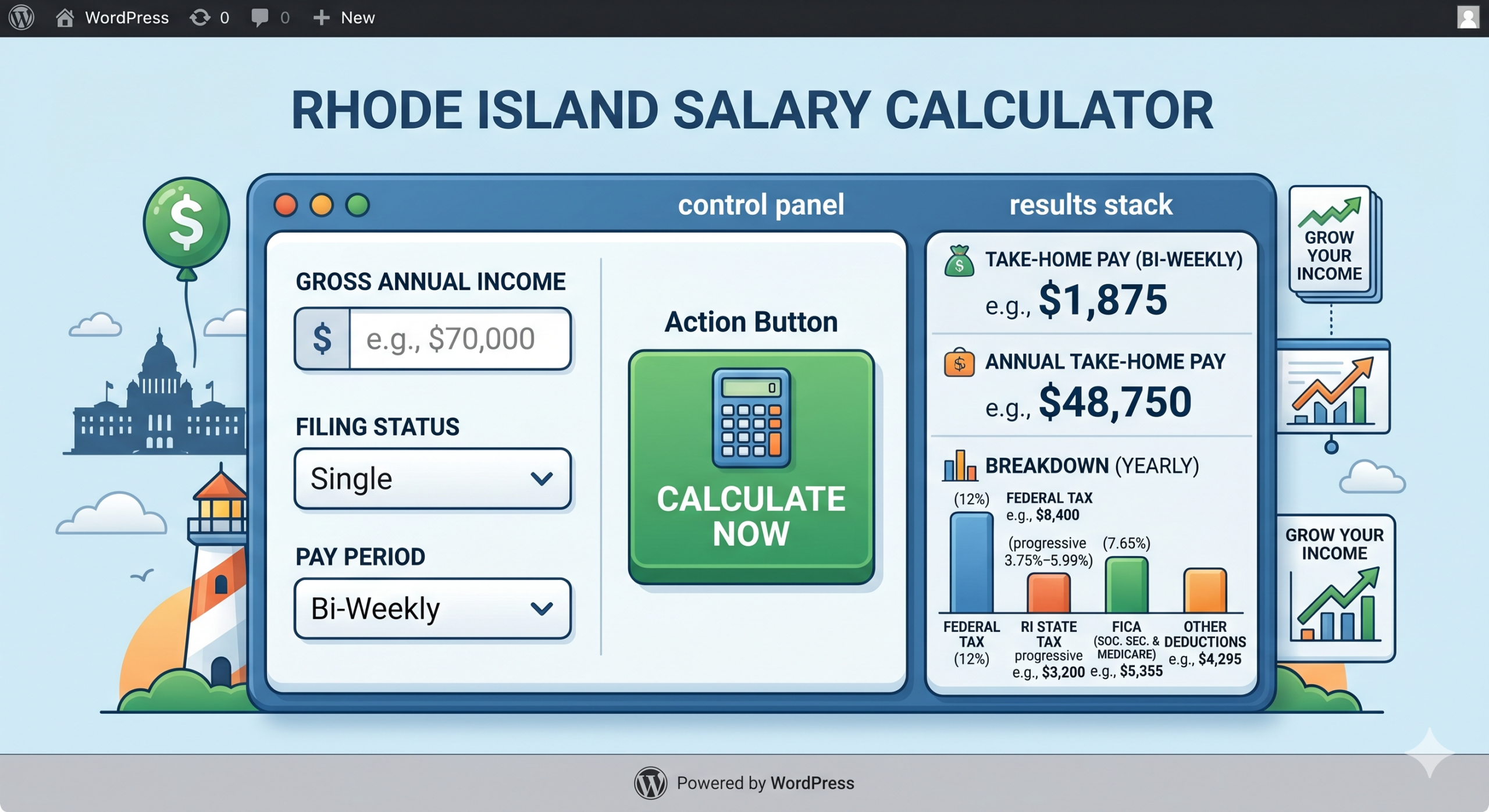
Estimate your net take-home pay after federal, Rhode Island state, Social Security & Medicare taxes — instantly with step-by-step breakdown.
Rhode Island Salary Calculator2024 Tax Year
$75,000gross/yr→$—take-home/yr
$
Pay Frequency
Annual
Monthly
Bi-Weekly
Weekly
$
$
Quick Examples
$40,000
$55,000
$75,000
$100,000
$125,000
$150,000
$200,000
$250,000
Annual Take-Home Pay
$0
$0 / month · $0 / bi-week · $0 / week
Monthly
$0
net / mo
Bi-Weekly
$0
net / paycheck
Weekly
$0
net / week
Hourly Est.
$0
~2,080 hrs/yr
Income Distribution
Take-home
Federal tax
RI state tax
FICA
Effective rate: —Marginal rate: —
Gross Income
$0
Pre-Tax Deductions (401k, HSA…)
−$0
Federal Income Tax
−$0
Rhode Island State Tax
−$0
Social Security (6.2%)
−$0
Medicare (1.45%)
−$0
Additional Withholding
−$0
Annual Take-Home Pay
$0
About This Calculator
How Rhode Island Income Tax Works
Rhode Island uses a progressive state income tax system with 5 tax brackets ranging from 3.75% to 5.99%. This is applied to your Rhode Island taxable income after subtracting the RI standard deduction.
2024 Rhode Island Tax Brackets
Income (Single)
Income (Married)
Rate
$0 – $77,450
$0 – $154,900
3.75%
$77,451 – $176,050
$154,901 – $352,100
4.75%
Over $176,050
Over $352,100
5.99%
How to Use This Calculator
Enter your gross salary and select your pay frequency
Choose your filing status (Single, Married, Head of Household)
Add any pre-tax deductions like 401(k) or HSA contributions
Click Calculate to see your instant take-home estimate
Click Show Full Tax Breakdown for the detailed deduction list
Use the quick example chips to test common salary levels
FICA Taxes (Federal)
Social Security: 6.2% on wages up to $168,600 (2024 wage base). Medicare: 1.45% on all wages, plus an additional 0.9% on wages over $200,000 for single filers.
Frequently Asked Questions
Rhode Island’s top state income tax rate is 5.99%, which is moderate compared to neighboring states. Massachusetts has a flat 5% rate, while Connecticut’s top rate is 6.99%.
For 2024, Rhode Island’s standard deduction is $10,550 for single filers and $21,150 for married filing jointly. This is subtracted from your income before RI state tax is calculated.
Rhode Island does tax Social Security benefits, but there is an exemption for taxpayers who are at full retirement age and whose income falls below a certain threshold.
This calculator provides a reliable estimate based on 2024 federal and Rhode Island tax brackets. Actual withholding may vary depending on your W-4 elections, additional income sources, and tax credits. Consult a tax professional for personalized advice.
Pre-tax deductions like 401(k) contributions, HSA contributions, and health insurance premiums reduce your taxable income, lowering both your federal and state income tax. They do not reduce FICA (Social Security and Medicare) taxes.
Yes, completely free with no registration or download required. Works on any device including mobile.
Instantly estimate your savings, new monthly payment, and break-even period when refinancing with SoFi.
📊 Calculate Your Refinance Savings
Current Monthly Payment
—
New Monthly Payment
—
Monthly Savings
—
Current Total Interest
—
New Total Interest
—
Net Savings After Fees
—
⏱ Break-Even Period: —
Metric
Current Loan
SoFi Refinance
What Is SoFi’s Refinance Calculator?
SoFi Refinance Calculator is an interactive digital tool designed to predict the financial implications of refinancing with SoFi, taking into account your existing loan balance, interest rate and term as well as any related refinancing fees or closing costs associated with switching loans with them.
The calculator delivers key insights such as your current versus proposed monthly payments, total monthly savings, breakeven period, total interest paid under both scenarios and net savings once all fees have been taken into consideration. It makes refinancing much simpler to evaluate for you without resorting to complex spreadsheets or estimates.
Benefits of Utilizing the SoFi Refinance Calculator
There are multiple compelling arguments in favour of using this tool prior to making a refinancing decision:
1. Precise Savings Estimates
Our calculator instantly estimates monthly and long-term savings when refinancing, so that you can see exactly the dollar impact. Rather than guesstimate, accurate figures based on your exact loan details provide more precise savings estimates.
2. Side-by-Side Loan Comparison This tool gives a direct comparison between your current loan and an SoFi refinancing, including differences in terms of interest payments, monthly obligations and total cost over its lifespan.
3. Break-Even Analysis
This tool accurately estimates how long it will take your monthly savings to recoup upfront refinancing fees, helping to determine whether remaining in a loan for long enough to realize those savings is possible given your financial plans.
4. Fast Decision-Making
Conduct tests quickly with multiple scenarios — rates, terms or fees amounts — until finding one with which you feel most at home in minutes.
5. Supports Multiple Loan Types
Our calculator easily handles various loan types – be they student, mortgage, personal and auto loans. It does so accurately and clearly for every one.
6. Calculations Include Fees
By taking origination and closing costs into consideration, our calculator gives a more complete picture of your true net savings rather than simply showing monthly reduction. It gives an honest representation of where your savings lies versus just headline monthly reduction.
How to Use the SoFi Refinance Calculator
Navigating this tool is effortless – simply follow these four simple steps for accurate results:
Step 1: Enter Current Loan Details
To start off the process of entering current loan details, first choose from the drop-down list: student loan, mortgage loan, personal loan or auto loan and enter details such as current remaining balance amount, monthly interest payment rate and number of remaining months on your loan to determine an estimated monthly payment and total cost over time. These inputs form your baseline monthly payments and total costs over time.
Step 2: Complete New SoFi Loan Details Next, provide the new interest rate being offered by SoFi for refinancing, select your new loan term from available options and include any refinancing fees or closing costs associated with it – or enter zero if none apply – when providing new SoFi loan details.
Step 3: Calculate Savings
Once all fields have been entered, click Calculate Savings to see your savings results instantly in the results section. Your new monthly payments, savings amount, breakeven period in months and total interest amount due will all appear together along with potential net savings after fees.
Step 4: Examining a Detailed Comparison Table
In addition to reviewing your summary statistics, an in-depth comparison table offers you an in-depth breakdown of every key metric impacted by refinancing. Figures that improve are highlighted with green highlights while those which worsen are shown with red highlights for easy interpretation of results at a glance.
Real-World Example of Mortgage Refinancing
Here is an illustration of how our calculator works in practice by offering an example mortgage refinancing scenario:
Assume you have entered details into this calculator: Typical loan type = Mortgage with current balance = $200k and interest rate of 5.00% with remaining term being 180 months (15 years). When closing costs total $2,000 the calculation would yield these results: Current Monthly Payment = $1581
New Monthly Payment= $1436 => Savings $151 Its Break Even Period= 13 months in which total Interest was $84,580 Now Total Interest= 57 400.
Net Savings After Fees: $25,180 This example clearly illustrates that refinancing from 5.00% to 3.50% could save over $25,000 in interest over its full lifespan, fully offsetting an upfront closing cost of $2,000 in just over 12 months; making refinancing an economically sound decision for any homeowner planning on staying more than 13 months with their loan.
Key Features of the Calculator, Net Savings Highlight: Shows your total net savings after factoring all refinancing fees so that you know your real financial benefit rather than only seeing an advertised rate reduction.
Monthly Payment Breakdown: Provides a clear view of how monthly obligations compare before and after refinancing in easy-to-read figures, while Break-Even Analysis details exactly when savings will cover any upfront refinancing fees.
Color-Coded Comparison Table: Create instant visual clarity by showing positive changes as green while negative ones as red for instantaneous comparison.
Multiple Loan Type Support: Manage student, mortgage, personal and auto loans all from one interface.
Instant Recalculation: Switch any input, and immediately recalculate to compare different rates and terms combinations. Tips to Maximize Your Refinancing Savings Optimizing refinancing savings requires more than finding lower interest rates alone – here are our expert tips:
Compare Loan Offers: Don’t settle for the first rate that comes along; make sure that you compare offers from multiple lenders before making a commitment so that you’re getting the most competitive terms available.
Always Take into Account Fees: Origination fees, closing costs and prepayment penalties on existing loans can have an enormous effect on true net savings figures. Always input this data for accurate calculations.
Shorter Terms Save More Overall: Selecting a shorter loan term typically reduces total interest payments over its life, even though monthly payments might increase slightly.
Maintain a High Credit Score: For accessing lower interest rates, having a strong credit score is crucial. Before refinancing, thoroughly investigate your report to spot and address any discrepancies which might be impacting it negatively and improve upon it where necessary.
Utilize Autopay Discounts: SoFi and other lenders provide a 0.25% rate discount when automatic payments are enabled, offering significant cost-cutting over an extended loan term. Even this small change could add up over time!
Verify Your Break-Even Period: Make sure that the loan will remain active long enough to yield savings beyond its break-even point; otherwise, any immediate costs may outweigh its advantages.
Avoid Unnecessary Extending of the Term: While increasing loan terms will lower monthly payments and interest payments over time, only do so if truly needed to manage cash flows effectively. See our frequently Asked Questions (FAQs).
1. What loan types can I refinance with this calculator? Student, mortgage, personal and auto loans can all be refinanced using this tool; simply choose your type from the drop-down before entering details for that loan type in the calculator.
2. Does the calculator consider refinancing fees? Yes. A field is provided specifically to enter origination fees, closing costs or any other refinancing expenses which will automatically factor into your net savings figure.
3. Are the Results Accurate? Results should be accurate when correct loan balances, interest rates and remaining terms are entered. Always compare these figures against your most recent loan statement prior to using our calculator.
4. What Is The Break-Even Period
Your break-even period refers to the number of months it will take your monthly savings to fully offset upfront refinancing fees, after which point every subsequent month represents genuine financial growth.
5. Can I refinance even though my new rate is higher than my existing rate?
You may use our calculator with higher new rates; however, the results will show higher costs rather than savings; refinancing makes more financial sense when the new rate is lower than existing one.
6. Do I need to enter my remaining term on an active loan?
Yes. Incorporating your remaining loan term accurately allows us to calculate both monthly payments and total interest on outstanding balances correctly.
7. Can the calculator evaluate multiple loans at once? Unfortunately not; its evaluation focuses exclusively on one loan at a time. For multiple loans that you want to compare separately and evaluate individually.
8. Is Sagecalculator’s SoFi Refinance Calculator free to use? Absolutely – no registration or signup are needed in order to use this calculator!
9. Does it take into account prepayment penalties on my loan? Unfortunately not. Our calculator does not feature an explicit prepayment penalty field. To more accurately reflect net savings results add any applicable prepayment fees into closing costs field for more accurate total savings calculations.
10. Will using this calculator affect my credit score? No. This tool serves purely as an estimation and planning resource and will not submit or trigger any loan application or initiate any credit inquiry in any form.
11. Can this calculator assist with debt consolidation? Absolutely. If you plan to combine multiple debts into one SoFi loan, enter their combined total balance and weighted average interest rate so as to estimate potential savings.
12. Does the calculator support variable interest rates? By default, our loan calculator assumes fixed rates on current loans as well as new ones; if your current loan features variable interest rates that fluctuate regularly, simply use its current interest rate as an estimate and remember to recalculate once this changes.
13. How can I determine whether refinancing is truly worth my while?
Evaluate the net savings figure against both break-even period and your planned loan duration to determine its true cost effectiveness. If the net savings figure exceeds break-even point and your planned loan duration exceeds it, refinancing may generally make financial sense.
14. Can I refinance my federal student loan through SoFi? Yes; however doing so means permanently giving up access to federal protections such as income-driven repayment plans, deferment options and potential loan forgiveness programs – something it’s wise to think carefully about prior to proceeding with SoFi refinancing of federal student loans into private loans.
15. Are the savings results guaranteed? No. These estimates depend on the information that you enter; actual savings depend on what loan terms have been approved from SoFi and may differ from what the calculator forecasts.
16. Does this calculator support variable interest rates? The tool assumes fixed rates; for variable-rate loans, enter an estimated starting estimate and update whenever the rate shifts.
17. Can I change the loan terms after calculating? Yes. Simply modify any input field and click Calculate Savings again; instantly the results update for easier comparison between term scenarios side-by-side.
18. Is your calculator mobile-friendly?
Yes. Our calculator is responsive, working perfectly on desktops, tablets and smartphones alike.
19. When should I use the calculator?
Review its performance whenever SoFi or another lender offers new rates to you; market interest rates fluctuate significantly; or any refinancing opportunities arise for your loans.
20. Does SoFi Charge Origination Fees for Loan Products? SoFi typically does not impose origination fees when offering its loans, however you should always verify the specific details of any offer with them prior to proceeding with them.
Conclusion
The SoFi Refinance Calculator is an essential planning tool for anyone considering refinancing their student loan, mortgage loan, personal loan or auto loan. This calculator takes all of the guesswork out of refinancing by giving an instant, clear picture of potential savings, monthly payment changes, total interest costs and breakeven timeline in seconds – providing clear answers on any refinancing decision in just seconds!
By using this calculator before applying, you can accurately assess multiple scenarios, comprehend any fees involved and confidently make a decision that aligns with your long-term financial goals. No matter whether you are an existing homeowner looking for lower mortgage rates, students refinancing student debt, or consolidating personal loans; this tool empowers you to take control of your future!
Use the SoFi Refinance Calculator today to plan smarter, save more and refinance with confidence!ulator today to plan smarter, save more, and refinance with complete confidence.